
Our Verdict
No single approach works best for every household. The right choice depends on how many TVs a family uses, how long they plan to keep their current television, and whether they already own a capable smart TV or need a fresh start. Hardware cost is only part of the picture; software update longevity and app availability shape the long-term value more than the sticker price does.
| Best for | Recommended |
|---|---|
| Families on a tight upfront budget with existing HDTVs | Streaming stick |
| Households buying a new television and wanting simplicity | Smart TV |
| Power users who want the longest software support and most processing headroom | Set-top box |
| Renters or families who move frequently | Streaming stick |
What each platform actually is
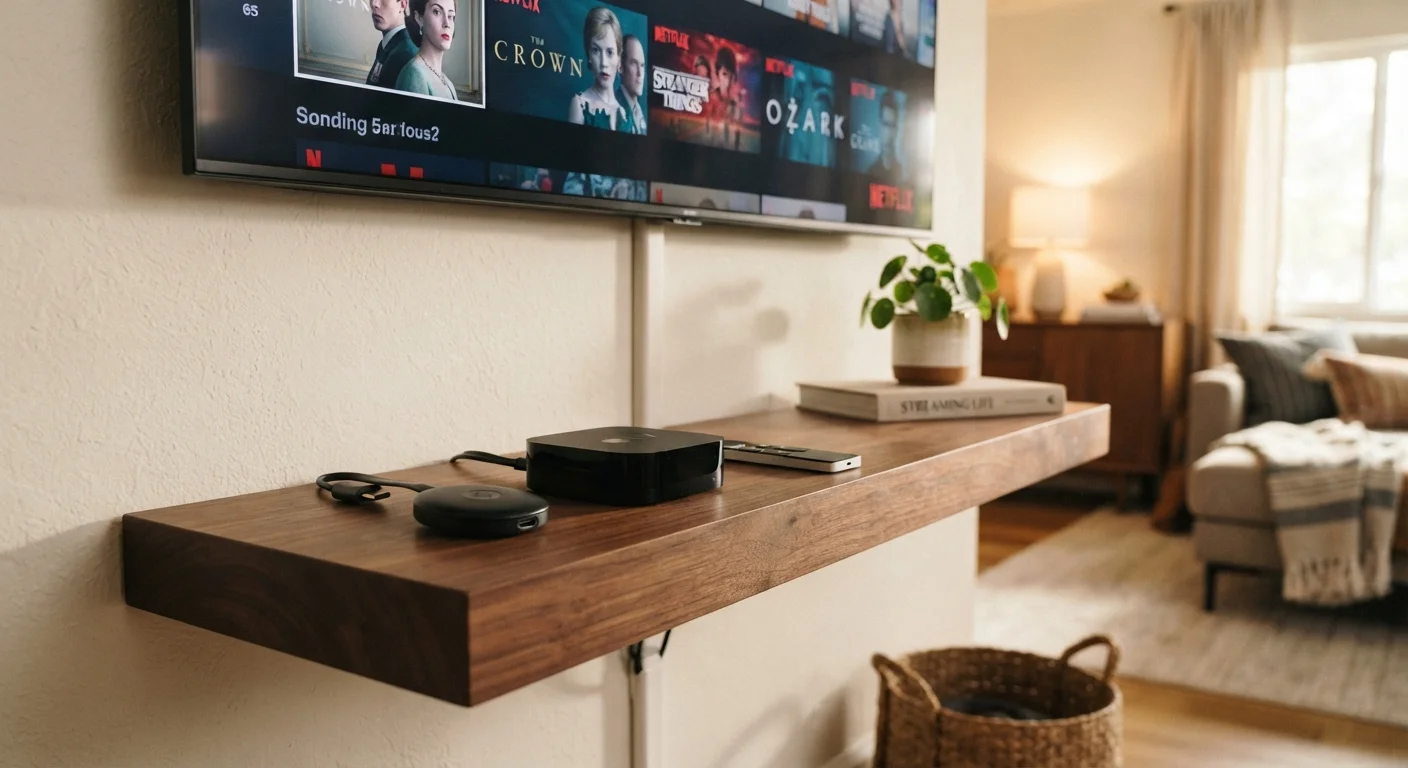
The three main ways to stream video to a television each take a different physical form. A streaming stick (sometimes called a streaming dongle) is a small device that plugs directly into an HDMI port on any television and draws power from a USB port or wall adapter. It runs its own operating system and connects to Wi-Fi independently of the TV itself.
A smart TV has the streaming platform built into the television's own hardware. No additional device is needed; the TV ships with an app store and a platform such as Roku TV, Google TV, or Tizen pre-installed. If you are unfamiliar with any of those platform names, the consumer electronics jargon guide explains them in plain terms.
A set-top box is a standalone unit that sits near the television and connects via HDMI. It is larger than a stick, has its own power supply, and typically runs a more capable processor. Examples of this category include Apple TV 4K and Nvidia Shield TV, though specific product recommendations are outside this article's scope.
Upfront cost and ongoing expenses
Streaming sticks generally carry the lowest purchase price, often available for well under $50. Set-top boxes sit at the higher end, sometimes exceeding $150 for models with 4K HDR support and expanded storage. Smart TVs fold the streaming hardware into the display price, so isolating the platform cost is difficult; a viewer replacing an older television may find the all-in price reasonable, while someone with a working television is paying for a screen they do not need.
Hardware price, however, is only the entry cost. Every platform depends on subscriptions, and those recurring charges accumulate. A family running several streaming services alongside a cloud-gaming or music tier can easily spend more per month on subscriptions than the device itself cost. For a structured way to audit those charges, see the household subscriptions audit guide. For broader money habits, the Finance hub has saving strategies suited to everyday family budgets.
| Streaming stick | Smart TV | Set-top box | |
|---|---|---|---|
| Typical upfront cost | Low (under $50 common) | Built into TV price | Moderate to high ($60-$180+) |
| Portability | Very portable, pocket-sized | Fixed to the display | Portable, requires power brick |
| Processing power | Entry to mid-range | Varies by TV model | Generally highest |
| Software update longevity | Moderate (3-5 years typical) | Often shorter, varies by brand | Generally longest |
| Setup complexity | Very simple | Minimal, built-in | Simple to moderate |
| Upgradeable without new TV | Yes | No | Yes |
App libraries and platform ecosystems
The practical question for most families is whether the apps they actually use are available on a given platform. Major services such as Netflix, Disney+, and YouTube are present on virtually every current platform. The gaps appear with niche apps, regional sports services, or newer entrants that have not yet negotiated distribution deals with every platform holder.
Roku's platform has historically carried one of the wider app catalogs because it licenses its operating system to many TV manufacturers and keeps its own storefront fairly open. Google TV and Android TV share a catalog tied to the Google Play Store. Apple TV's App Store covers a broad range but is limited to Apple's own hardware. Amazon's Fire TV platform has a large library though some Google-owned services have had intermittent availability there.
Before committing to any platform, check whether every service your household pays for is currently available on that platform's app store. Platform exclusives and removed apps are real factors, not hypothetical ones.
Software updates and long-term support
This is where smart TVs tend to show their biggest weakness. Television manufacturers do not have uniform policies on how long they push operating system updates to older models. A TV purchased five years ago may still display a picture perfectly but run a streaming platform version that no longer supports newer app features or security patches. Dedicated streaming devices, sold specifically for their software, tend to receive longer update cycles relative to their hardware life.
Set-top boxes occupy a middle ground that leans positive: because the box is separate from the display, a family can replace the box without buying a new television when software support ends. That separation also means the streaming hardware can be upgraded independently on a different schedule from the TV itself.
When evaluating any streaming device, check the manufacturer's published support policy. Some disclose end-of-software-support dates; others do not. The smart home device checklist includes questions about update lifecycles that apply equally to streaming hardware.
Check the app store before you buy
Visit the platform's app store online before purchasing any streaming device. Search for every service your household actively uses and confirm current availability. App availability can change after a device purchase and is not guaranteed by the platform holder.
Performance, voice control, and extras
Processing power affects how quickly apps launch, how smoothly menus scroll, and whether the device can handle 4K HDR streams without stuttering. Entry-level sticks sometimes struggle with heavier apps or take noticeable time to load. Mid-range and higher sticks handle standard streaming well. Set-top boxes offer the most headroom, which matters if a family also uses the device for cloud gaming or runs several apps simultaneously.
Voice assistants are now standard across all three categories. Alexa, Google Assistant, and Siri are each tied to specific platforms; a household already invested in one voice ecosystem may find staying within it more convenient. None of the assistants is definitively better for basic media control, so this factor usually comes down to what smart home devices the family already uses.
Multi-room audio integration, Bluetooth accessory support, and the ability to mirror a phone screen vary by platform. Families considering smart home expansion should weigh those compatibility factors before choosing a platform, since switching later means replacing devices rather than just an app.
The content provided on our blog site traverses numerous categories, offering readers valuable and practical information. Readers can use the editorial team’s research and data to gain more insights into their topics of interest. However, they are requested not to treat the articles as conclusive. The website team cannot be held responsible for differences in data or inaccuracies found across other platforms. Please also note that the site might also miss out on various schemes and offers available that the readers may find more beneficial than the ones we cover.